Holiday travel is exciting, from finding the right flight to booking a comfortable place to stay. Unfortunately, cybercriminals know that travelers are more likely to click quickly as a trip approaches.
Recent threat examples discovered and remediated by the Fortra Intelligence and Research Experts (FIRE) team show how attackers are creating convincing travel-booking pages that imitate trusted rental platforms. The fake sites use familiar branding, realistic property listings, reservation details, and urgent messages to persuade travelers to provide sensitive data such as credit card information, username and passwords, and more.
Why holiday travelers are vulnerable
Travel bookings often involve high prices, tight deadlines, and limited availability. Attackers can use those pressures to encourage quick decisions.
Common warning messages include:
Your reservation is unconfirmed
Complete verification to continue
Your payment has not been processed
Your booking will be canceled.
Special pricing is available for a limited time
These messages may push travelers to click before checking the website address or confirming the reservation through an official channel.
Phishing pages can target account credentials
The following is an example of a phishing site impersonating a global experiences and lodging platform to steal usernames and passwords.
The attackers used a brand-impersonating URL to make the page appear legitimate:
https://confirm-[redacted].rooms-home93914[.]space/
The login page used imagery consistent with the brand. The sign-up prompt requested a phone number, social-media credentials or email.
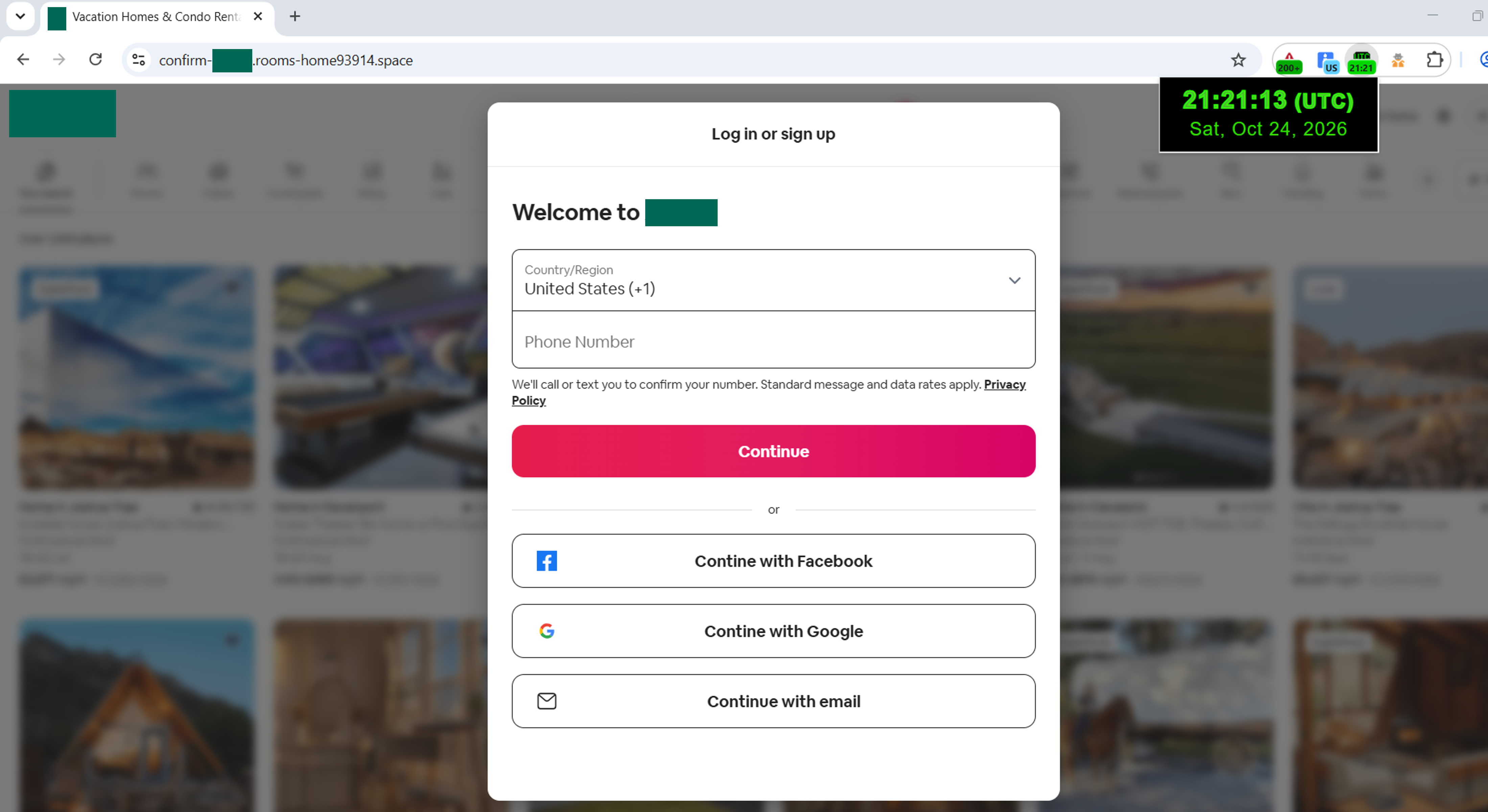
This type of page can be used to collect account information, phone numbers, or login credentials. If travelers reuse passwords across services, information submitted to a fake booking site could also put other accounts at risk.
The use of familiar sign-in options makes these phishing page appear legitimate. Travelers should avoid entering credentials after following an unsolicited link, even if the page includes recognizable logos or familiar buttons.
Fake booking pages
Attackers frequently copy legitimate property photos and descriptions, making it difficult to judge a site by appearance alone. A polished listing does not prove that the property exists or that the booking platform is genuine.
FIRE is increasingly seeing attacks that prey on the urgency of booking a stay via popular short-term lodging marketplaces. These attacks begin with a page that copies the appearance of a popular rental marketplace and displayed property listings with photographs, host names, ratings, reviews, locations, travel dates, and prices.
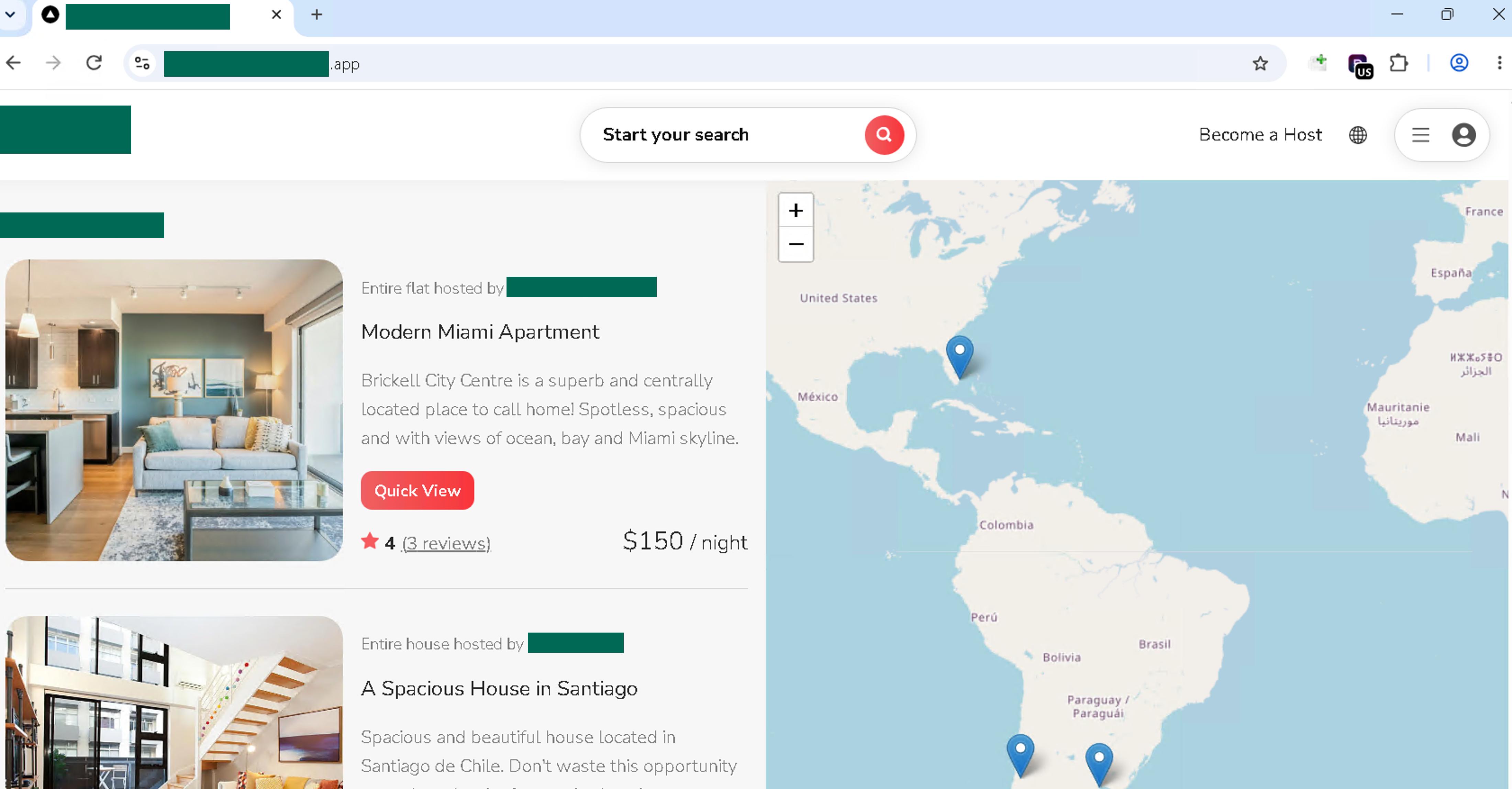
In this example, the listings were designed to look ordinary and credible. A modern apartment and a spacious house were shown alongside property photographs, host names, locations, prices, ratings, and review counts. Nothing about the listings appeared obviously suspicious, which is precisely what makes this tactic effective. Travelers comparing several properties may focus on the price, availability, and appearance of the accommodations without questioning whether the site itself is legitimate. By replicating the familiar details of a genuine rental marketplace, attackers can make a fraudulent site feel trustworthy long enough to move visitors toward verification or payment.
In another example, the booking flow displayed a “confirm and pay” screen and indicated that the reservation was still “Unconfirmed.” It told the visitor to complete a mandatory verification process before the booking could proceed, while reassuring them that there was no additional charge.
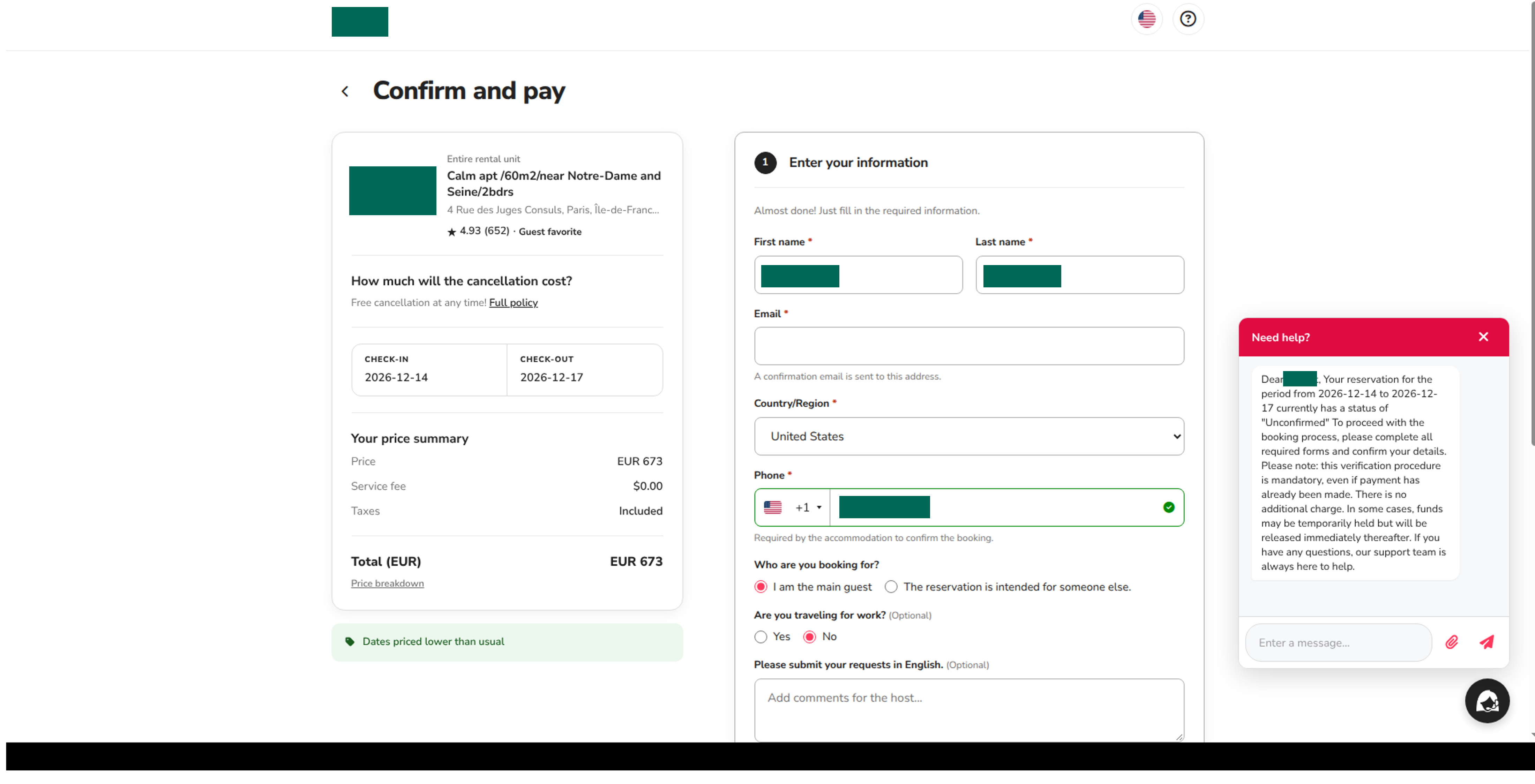
The page then requested details such as the traveler’s name, email address, country, and phone number. If the visitor enters this information, it is now in the hands of the attacker. These requests may appear routine, but information submitted to a fraudulent site can be used for identity theft, follow-on phishing, or account takeover.
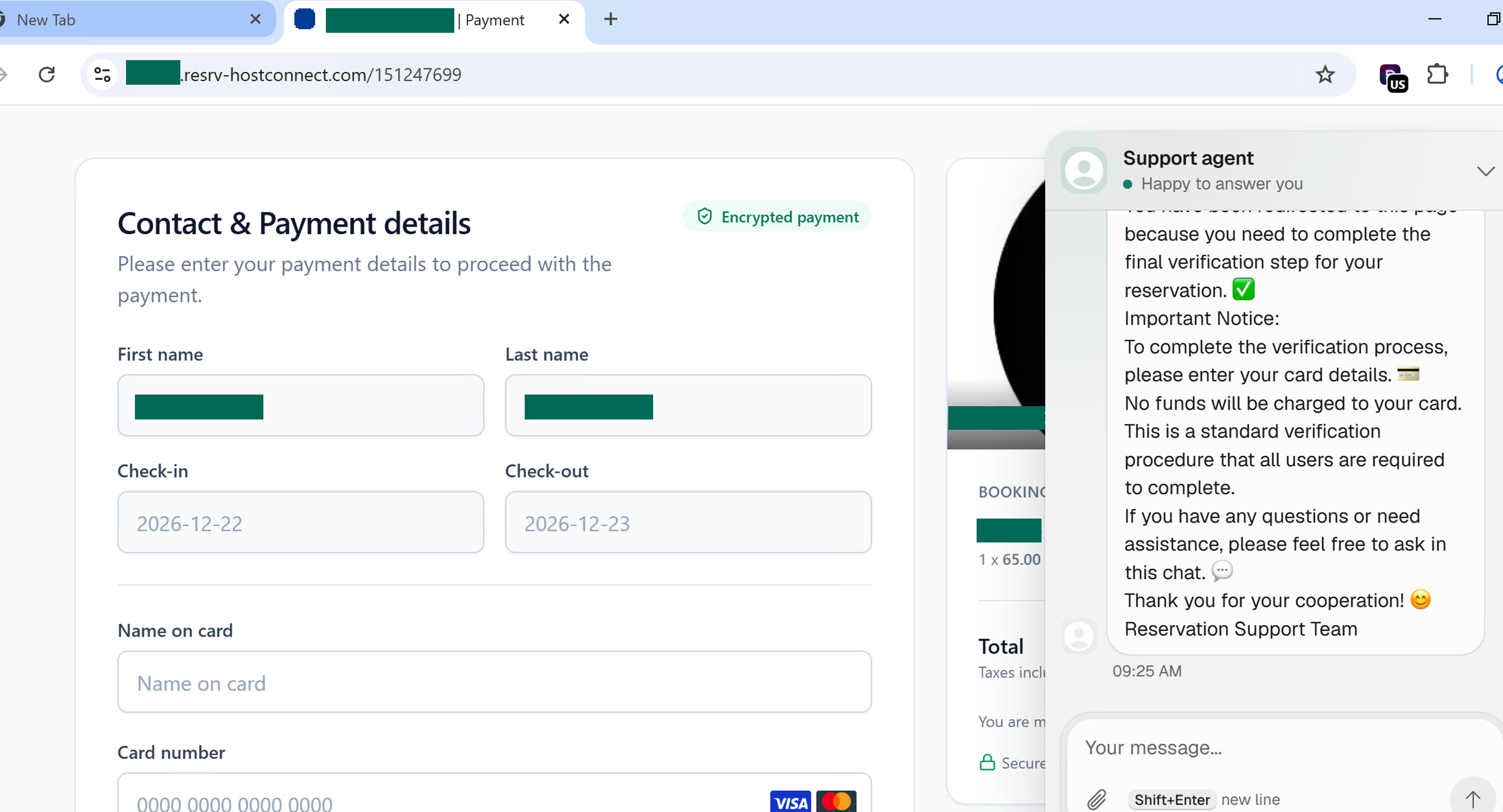
In a separate incident, a fraudulent travel-booking page displayed a credit card payment form requesting sensitive financial details. A live support chat reinforced the page’s credibility by directly addressing the visitor’s concerns and framing the request as a routine security check. By assuring the visitor that the card would not be charged, the attacker reduced hesitation and encouraged the submission of payment information. This type of real-time interaction is a social-engineering tactic designed to make a fraudulent transaction feel legitimate.
How to avoid travel-booking scams
Travelers should begin with the official booking platform or a trusted app rather than clicking links in unexpected emails, text messages, advertisements, or social-media posts.
Before entering information, check the full URL for:
Misspellings or unusual wording
Extra terms added to a familiar brand name
Unrelated domains
Unusual country-code domains
Suspicious subdomains or long strings of random characters
Travelers should also keep payments and messages within the official platform whenever possible. Be especially cautious if a host or booking page asks for payment, identity documents, or account details through a separate website.
If personal or payment information has already been submitted, contact the card issuer or financial institution, change any reused passwords, enable multifactor authentication, and monitor accounts for unusual activity.
The safest approach is to pause before completing a booking. A convincing property listing can be copied, but the official website address is much harder for a scammer to imitate.
Powered by the Fortra Intelligence and Research Experts (FIRE) Team