Wondering what Brand Indicators for Message Identification (BIMI) actually means? In this blog, we cover the basics of BIMI, explain the BIMI-selector header, and look at what it does, when you need it, and how to implement it.
In most cases, you only need the BIMI-selector header if you want to support multiple logos across different brands or subdomains. If you’re using a single brand identity, the default selector is usually sufficient and easier to manage.
What is BIMI?
BIMI is a standard that attaches your brand logo to authenticated email sent from your organization. This helps build trust with your subscribers and brand awareness.
The BIMI standard ensures your brand logo is displayed when, and only when, a legitimate email from your company is sent. As an addition to the protection offered by DMARC, BIMI helps protect against consumer phishing attacks where cybercriminals attempt to use your domain to send fake emails. You can see an example here where some organizations have BIMI implemented, and others do not. 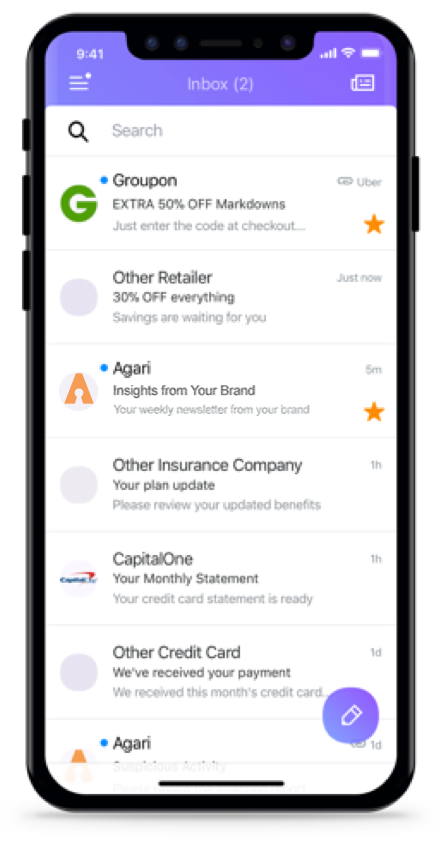
Do I Need a BIMI record?
Not all businesses need a BIMI record, but it can offer meaningful benefits, especially for larger, consumer-facing brands. Companies with stronger brand recognition tend to gain the most value, since BIMI helps reinforce trust and visibility in the inbox.
While BIMI is still an emerging standard in email authentication, most email providers do not currently flag or block messages if a BIMI record is missing. However, adoption is steadily increasing, and that may change over time as more providers begin supporting the standard.
Setting up BIMI is relatively straightforward and can help improve brand recognition in supported inboxes while adding an extra layer of trust for recipients.
If you’re not sure whether your domain has a BIMI record, you can use our free lookup tool. Simply enter your domain, and it will show whether a BIMI record is currently published.
What is a BIMI-Selector Header?
A BIMI selector defines which BIMI record is used to display a specific logo for a domain. It provides flexibility for organizations that want to use different logos across subdomains or brands under the same domain.
A BIMI record itself does not require a custom selector. If no selector is specified, email clients use the default selector and look up the BIMI record associated with the domain in the “From:” address.
To use a different logo, you can publish additional BIMI DNS records using custom selectors under your domain. This allows you to associate different logos with different sending identities while keeping everything under the same BIMI configuration framework.ain.
Example: default_bimi.subdomain.topleveldomain
This can be done across multiple subdomains as needed.
- default_bimi.example.com
- default_bimi.store.example.com
- default_bimi.agari.com
How do I Setup a BIMI Selector?
Once BIMI is in place, you may choose to use BIMI selectors to display different logos for specific subdomains or sending identities. This is especially useful for large organizations or for dedicated email streams such as marketing, transactional, or product-specific emails.
Each BIMI selector is published as a DNS TXT record under your domain. The selector name in the DNS record must match the selector referenced in the email authentication flow; otherwise, the BIMI record will not resolve correctly.
A BIMI selector record consist of a few key syntax:
V = Version: This will always start with “BIMI1” and be at the very beginning of the record.
S = Selector Name: This is what you choose to name the selector. This name must match both in the BIMI Header, as well as in the BIMI DNS record in order to work.
Example of a BIMI-Selector header:
From: [email protected]
BIMI-Selector: v=BIMI; s=selector;
Above the email server would lookup selector._bimi.domain.com.
Example of a BIMI-Selector header on a subdomain:
From: [email protected]
BIMI-Selector: v=BIMI; s=selector;
The mail server would perform a DNS lookup to selector._bimi.sub.domain.com for the BIMI record. If the record was not found, it would use the fall back lookup default._bimi.domain.com.